What Are Email Headers?
Emails consist of two parts: the header and the message body. An email header is a hidden section of code that contains information about an email, such as the sender, recipient, and delivery path. Valid email headers contain authentication data, tracking information for troubleshooting, hop delay intel, and provide protection from spam and phishing attempts.
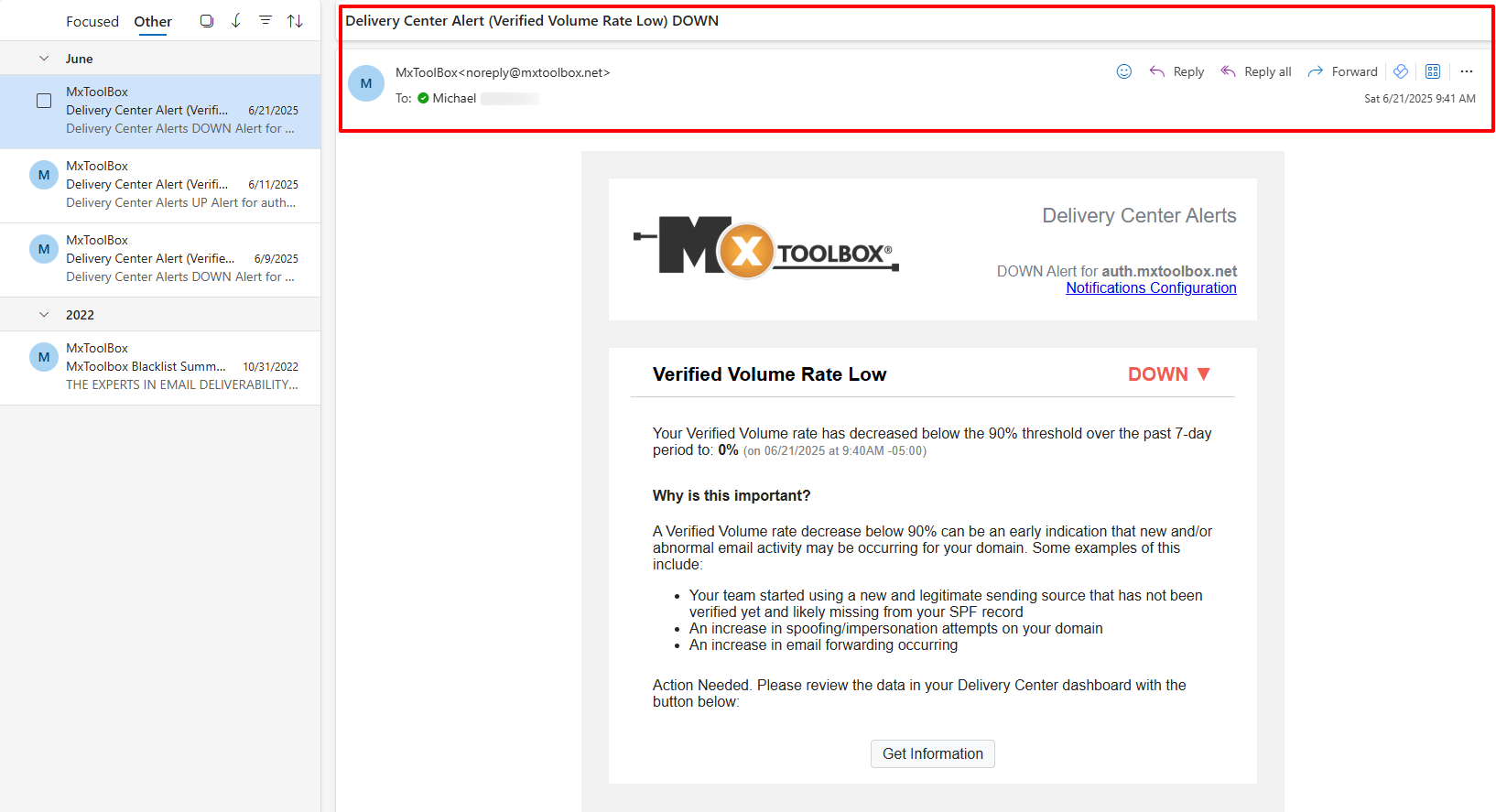
Email providers typically hide the full header or display only specific lines, such as From, To, Date, and Subject. The below image shows that basic information as seen in a received Outlook email.
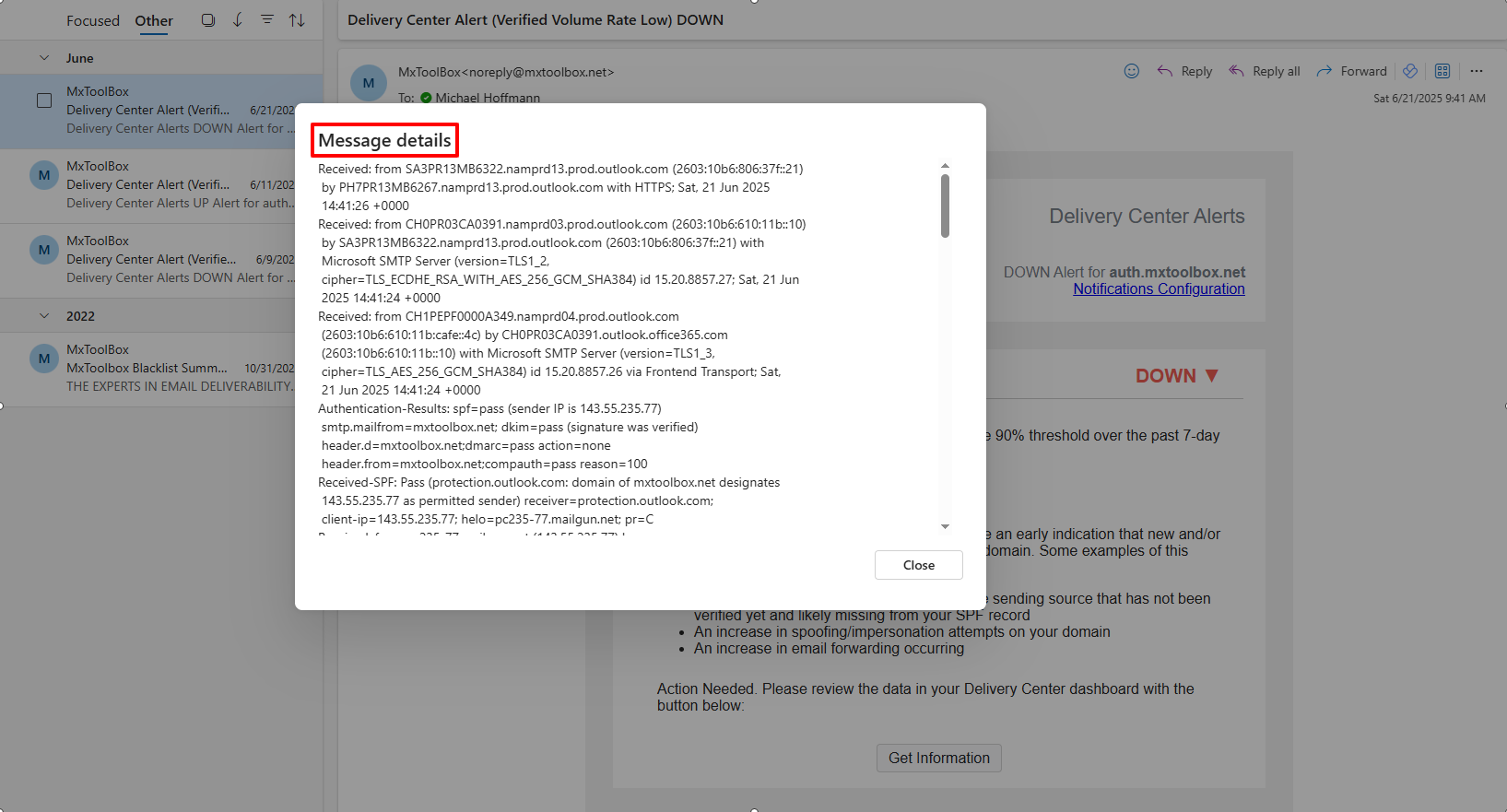
The following image displays the specific email header for the same received Outlook message.
Why Are Email Headers Important?
Email headers help establish the path a message took from sender to recipient. Also, email providers use various email headers to recognize spam mail and to determine the legitimacy of a sent message. Headers help protect recipients from email scams and viruses.
When Should I Use Email Headers?
Checking email headers is recommended if you want to:
- Investigate a suspicious email
- Know the specific origin of an email
- Troubleshoot delivery issues
- Test marketing campaigns pre-send
Using MxToolbox's free Email Header Analyzer tool helps you identify spam or phishing attacks, verify the sender's authenticity, and recognize potential deliverability problems before sending a message to your email list.
How to View Email Headers by Inbox Provider
Locating email headers for different providers can be challenging, so we created a one-stop guide to help you find them. For an extensive list of how to access email headers for various inbox providers, check out our How to Get Email Headers page.
How to Read Email Headers
After you find and access an email header, deciphering the provided data helps you understand the message's journey from sender to inbox, as well as recognize any potential deliverability problems on your end. Our How to Read Email Headers article is a good reference for learning about these headers.
Full List of Email Headers
ARC-Authentication-Results:
Combination of an instance number (i) and the results of the SPF, DKIM, and DMARC validation. For more ARC insight, click here.
ARC-Seal:
Combination of an instance number (i), a DKIM-like signature of the previous ARC-Seal headers, and the validity of the prior ARC entries. More ARC information can be found here.
Authentication-Results:
Contains the results (pass/fail) of all SPF, DKIM, and DMARC checks performed, as well as any information that led to the check.
Content-Type:
Tells you the format used for the email, such as html or plaintext.
Date:
Shows the date and time the email was sent.
Delivery Date:
Shows the date and time the email was received by the inbox provider.
DKIM-Signature:
Digital signature added to the header of an outbound email message that the sender chose to vouch for. It brings an added level of security and legitimacy to sent emails. More information about this email header can be found here.
Envelope-To:
Shows that the email was delivered to the recipient's inbox or a subscriber's email address (user@example.com).
From:
Displays the sender's provided name and email address. (It can be forged easily and is not always reliable.)
List-Unsubscribe:
An unsubscribe link/button provided by the sender and conveniently displayed next to their email information. The CAN-SPAM Act (2003) made it a requirement for marketers to include an unsubscribe option in a sent email. For more information on this header, click here.
List-Unsubscribe-Post:
Streamlines the unsubscribe process to one simple step. If a recipient clicks the provided unsubscribe link/button in an email, removal from the mailing list happens instantly. More List-Unsubscribe information can be found here.
Message Body:
This is the content of the email written by the sender.
Message-ID:
This is a unique string assigned by the mail system when the message is created. (It can be forged easily.)
Mime-Version:
Multipurpose Internet Mail Extensions (MIME) is an Internet standard that extends the format of email. This header appears at the beginning of a MIME message, plus within separate body parts of it.
Received:
This is the most important part of the email header and is typically the most reliable. It creates a list of all servers/computers that the message traveled through to reach the inbox. These received lines should be read from bottom to top. The first "Received:" line is your own system or mail server. The last "Received:" line is where the mail originated. Every mail system has its own style of "Received:" line. A "Received:" line usually identifies the machine that received the mail and the machine from which the mail was received.
Return-Path:
Displays the email address for return mail. It is the same as the "Reply-To:" header. More Return-Path insight can be found here.
Subject:
This is what the email creator/sender provided as the email's title. It is displayed in the Subject line.
To:
Shows the recipient's email address, including CC/BCC addresses.
X-Spam-Level:
Displays a spam score created by a specific service or mail client to help filter emails.
X-Spam-Status:
Displays a spam score and related spam information generated by the specific service or email client used.